Industries / Auto repair / End-of-day reports
End-of-day closeouts and reports for auto repair shops
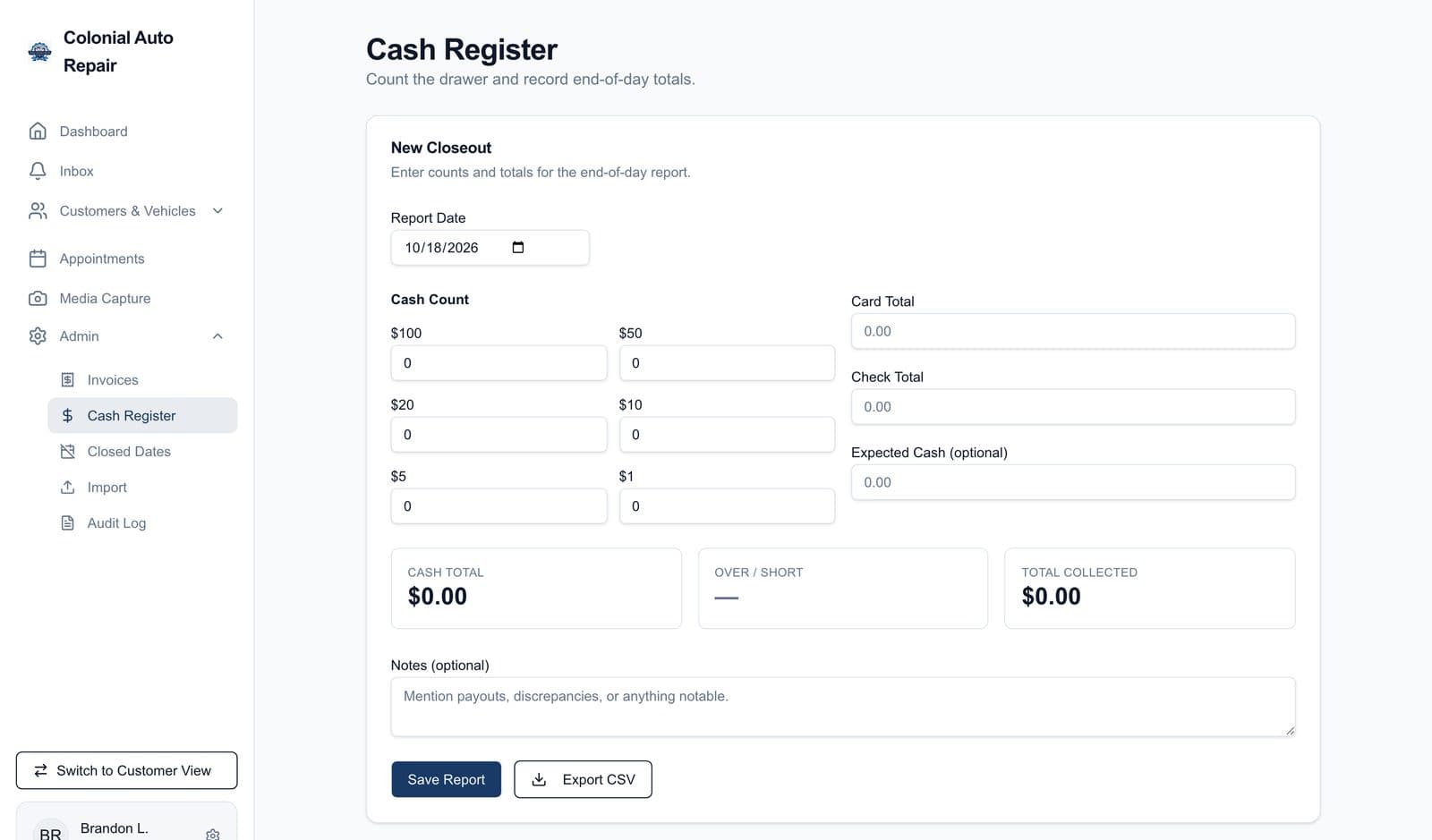
Closing the drawer on a notepad means the numbers live wherever that notepad ends up. We build the closeout into your staff portal: count the drawer, see if it is over or short, and keep every day on record with the shop expenses beside it.
How closing out works
- Count the drawer by bill, from $100s to $1s, and the cash total adds itself up
- Enter the card and check totals for the day, plus the cash you expected, and it shows over or short
- A notes line for payouts and anything that did not add up
- Every saved closeout stays on record with its bill-by-bill count, and saves and deletes go in the audit log
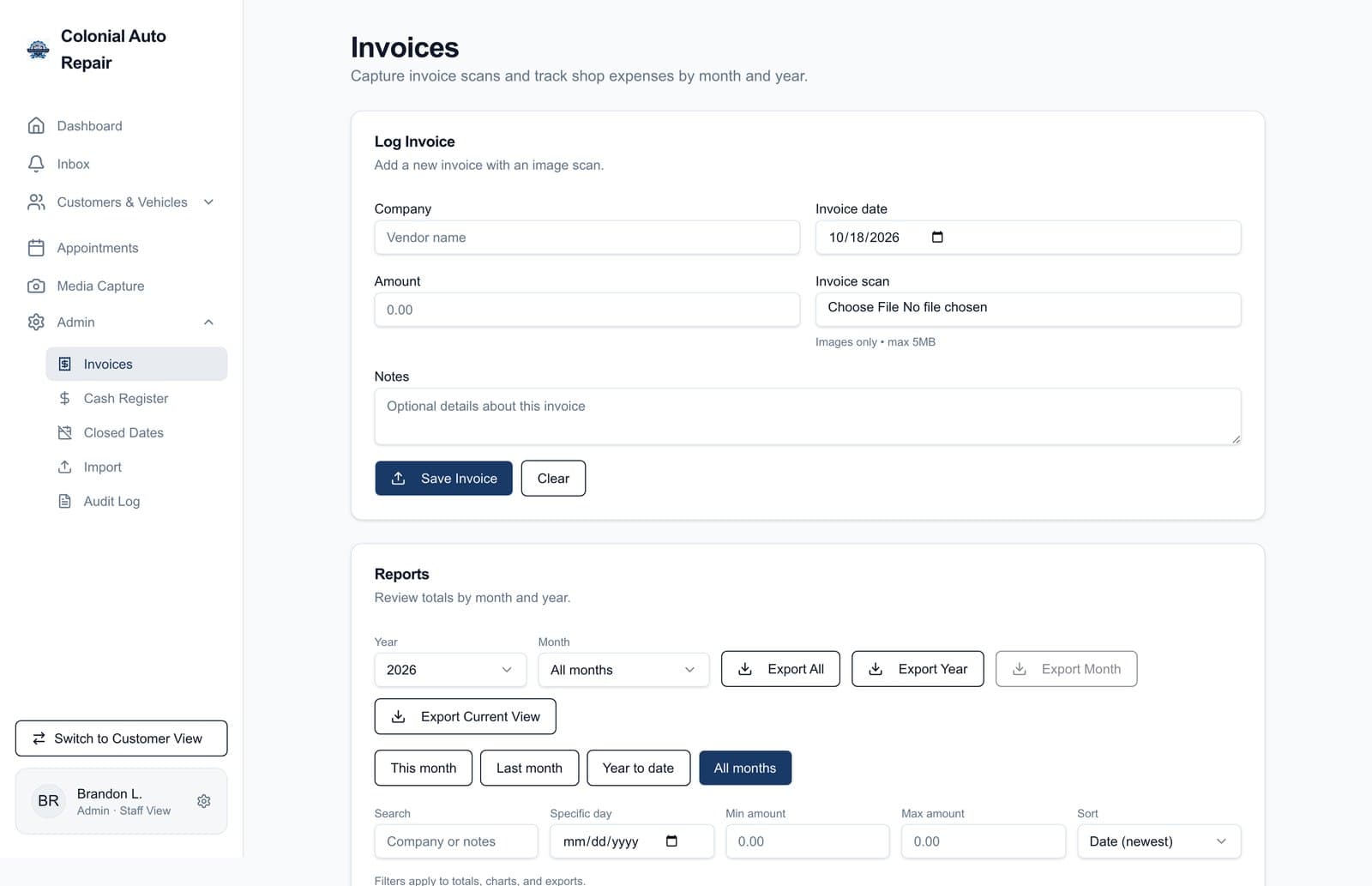
- Log vendor invoices with a photo of the paper copy, then see expenses by month and year with totals and a chart
- Export closeouts, expenses, and appointments to a spreadsheet: all of them, a year, or a month
Built for a working shop
We built these reports for Colonial Auto Repair's staff portal, alongside the shop software it already runs. The closeout is typed in at the end of the day; it does not pull from a register or card terminal.
How a project runs
Step 1
Free scope review
We look at how work moves through your business today and agree on a fixed scope, price, and timeline before any code is written.
Step 2
Build in 2 to 4 weeks
We build in a fixed window. You see progress every week, and the scope doesn't drift.
Step 3
Launch and tune
We launch, walk your team through it, and tune it through the first weeks of real use.
Questions owners ask
- Does it pull totals from my card terminal or shop software?
- Colonial's closeout is typed in: staff count the drawer and enter the card and check totals. If your terminal or shop software can export or connect, we look at pulling those totals in during the scope review.
- Who can do the closeout?
- Anyone on your staff with a portal login. Every saved or deleted closeout is written to the audit log with who did it.
- Can my bookkeeper get the numbers?
- Yes. Closeouts, expenses, and appointments export to spreadsheets, so they can go straight to whoever does your books.
Answers are written by AI from what's on this site and can be wrong. They aren't quotes or commitments. For anything specific, call (312) 208-2258 or use the form below.
Tell us what's breaking.
Share the workflow that's slowing your team down. We'll assess fit and come back with a clear scope.
- Phone
- (312) 208-2258
- Based in
- Vernon Hills, IL