Industries / Auto repair / Technician bonus tracker
A technician bonus tracker for auto repair shops
Paying techs a bonus per job only works if every job gets counted. We built a tracker where techs tap in what they did on each work order from the shop tablet, the bonus adds itself up, and a manager reviews the week before it goes to payroll.
How the tracker works
- Techs sign in on the shop tablet: tap your name, then enter a 4-digit PIN
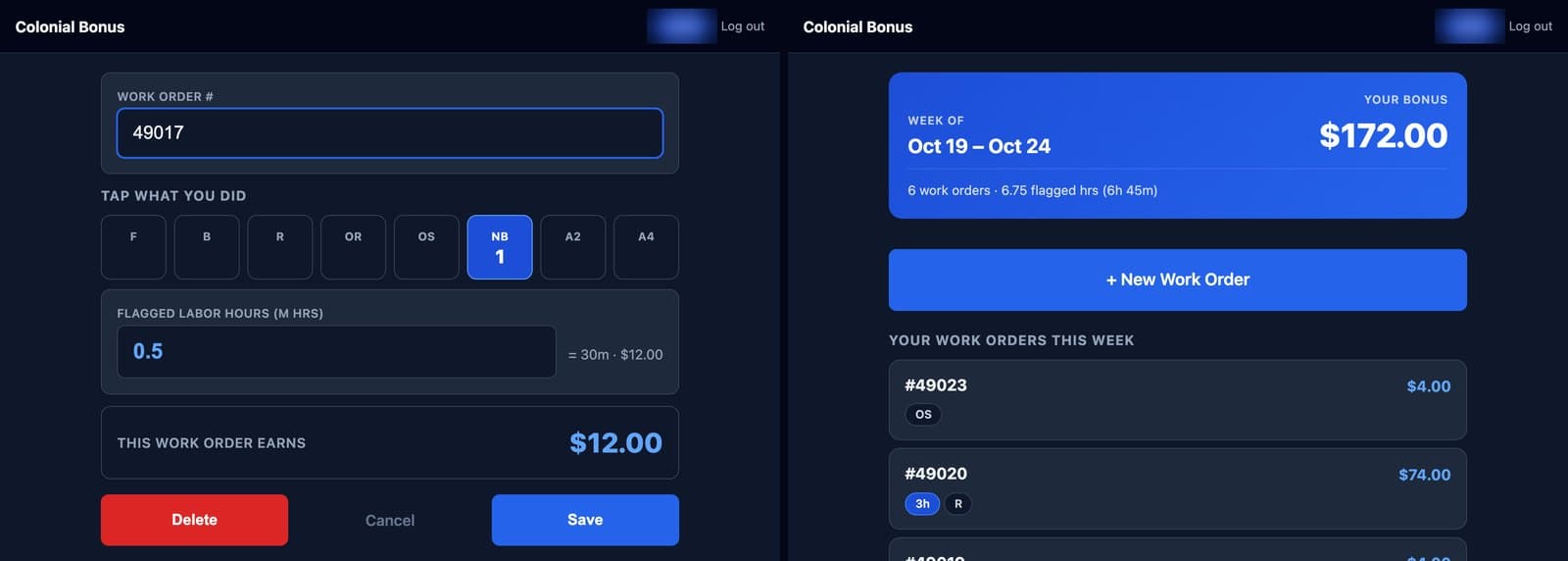
- For each work order, tap the jobs done: flat repairs, balances, rotations, regular or synthetic oil changes, and 2- or 4-wheel alignments. Tap again to count more than one
- Mechanical hours go in as a number, and a job can be flagged without paying on it, like a new battery
- Each work order shows its bonus as the jobs go in, and every tech sees their running total for the week
- Techs can only change the current week, and it locks once the office pushes it to the sheet
- Managers set the dollar amount for each job and can change it any time
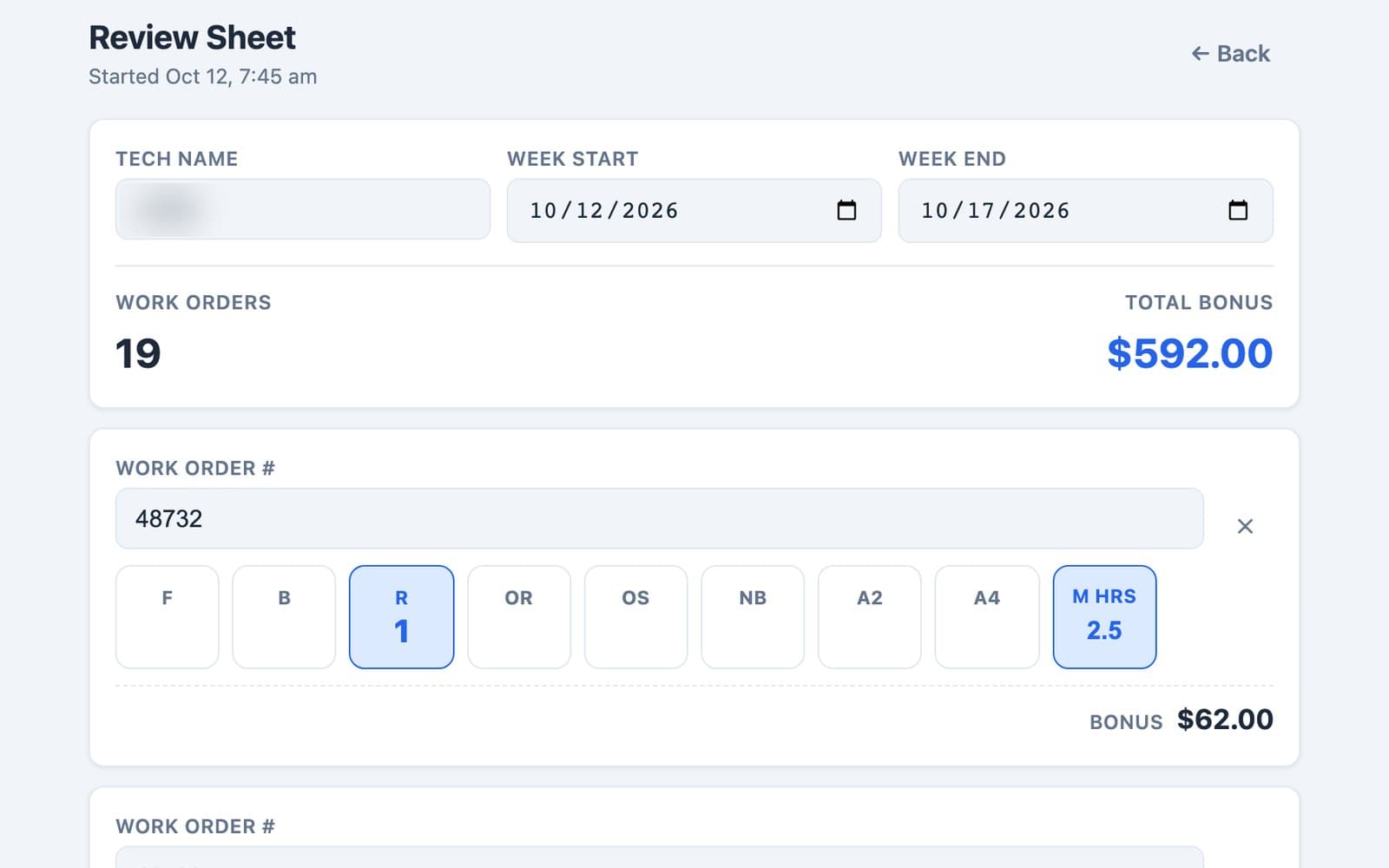
- Managers review each tech's week, fix anything that's off, and push it to the shop's Google Sheet, one tab per month
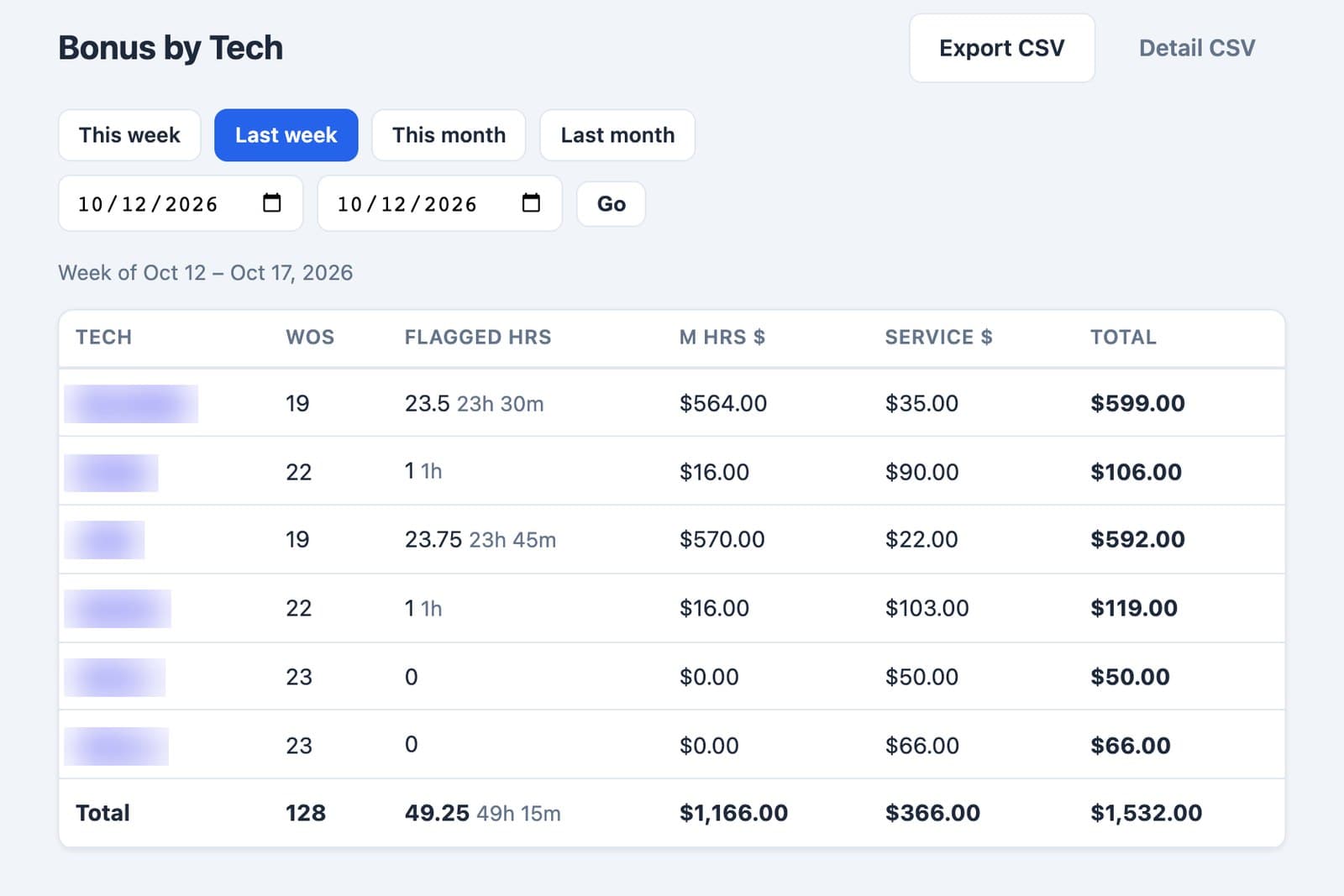
- A payroll view shows bonus by tech for any week, month, or date range, with a CSV export
Built for a working shop
We built this tracker for Colonial Auto Repair, an independent shop in the Chicago area where Blueframe's founder works in management. Colonial's techs started using it in October 2026. Tech names are blurred in the screens below.
How a project runs
Step 1
Free scope review
We look at how work moves through your business today and agree on a fixed scope, price, and timeline before any code is written.
Step 2
Build in 2 to 4 weeks
We build in a fixed window. You see progress every week, and the scope doesn't drift.
Step 3
Launch and tune
We launch, walk your team through it, and tune it through the first weeks of real use.
Questions owners ask
- Can it match our pay plan?
- Yes. We set up the job types to match how you pay, and managers change the dollar amounts themselves. Colonial pays on flat repairs, balances, rotations, oil changes, alignments, and mechanical hours.
- Does it connect to our shop management software?
- Colonial's runs on its own: techs type in the work order number, and approved weeks go to the shop's Google Sheet. If your shop software has a way to connect, we look at pulling work orders from it in the scope review.
- Do techs need their own phone or an app?
- No. It runs in the browser on a shared shop tablet, and each tech signs in with their own 4-digit PIN.
Answers are written by AI from what's on this site and can be wrong. They aren't quotes or commitments. For anything specific, call (312) 208-2258 or use the form below.
Tell us what's breaking.
Share the workflow that's slowing your team down. We'll assess fit and come back with a clear scope.
- Phone
- (312) 208-2258
- Based in
- Vernon Hills, IL